01
Motion Transfer
Petakan koreografi tari, loop berjalan, gerakan atletik, dan timing seluruh tubuh dari video referensi ke gambar karakter baru sambil menjaga subjek tetap dikenali.
0:15
Gerakan referensi ke video karakter · Gambar karakter · Video referensi · Transfer gestur · Kling 3.0
Cari inspirasi
Mode fitur
Empat mode kontrol gerakan untuk video karakter: transfer tubuh, arahkan tangan, bawa ekspresi, dan tambahkan energi sinematik dari klip referensi.
Petakan koreografi tari, loop berjalan, gerakan atletik, dan timing seluruh tubuh dari video referensi ke gambar karakter baru sambil menjaga subjek tetap dikenali.
Gunakan klip gerakan nyata untuk mengarahkan menunjuk, melambai, gerakan lengan, putaran kepala, perubahan postur, dan aksi kreator yang sering sulit hanya dengan prompt.
Bawa senyum, sikap, arah mata, ritme kepala, dan energi performa ke klip hasil agar terasa diarahkan, bukan bergerak acak.
Padukan transfer gerakan dengan tempo terkontrol, rasa kamera, konsistensi cahaya, dan output 720p atau 1080p untuk video karakter yang lebih rapi.
Alur kerja
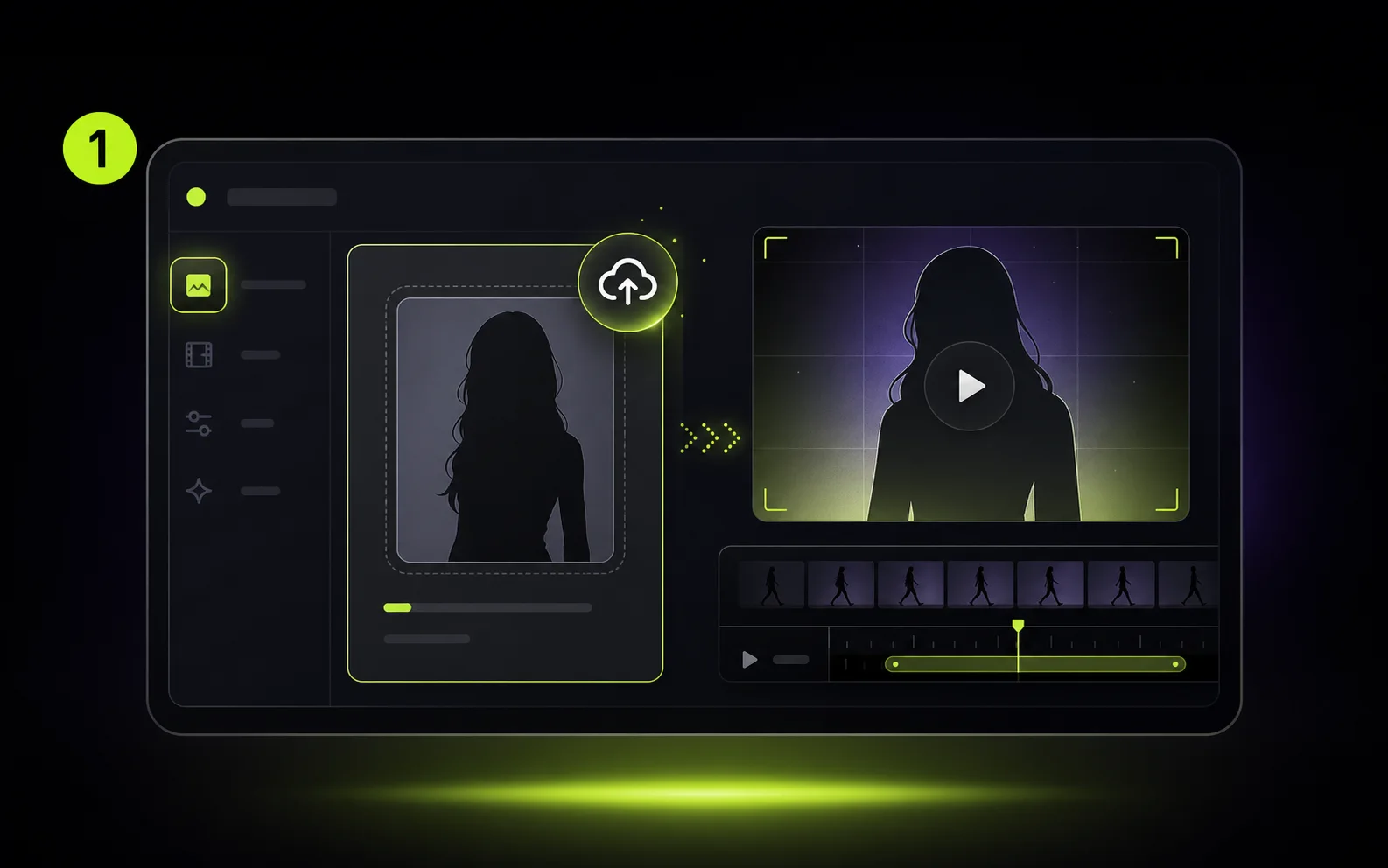
Mulai dari potret jelas, gambar seluruh tubuh, avatar, presenter produk, atau karakter bergaya yang harus melakukan aksi.
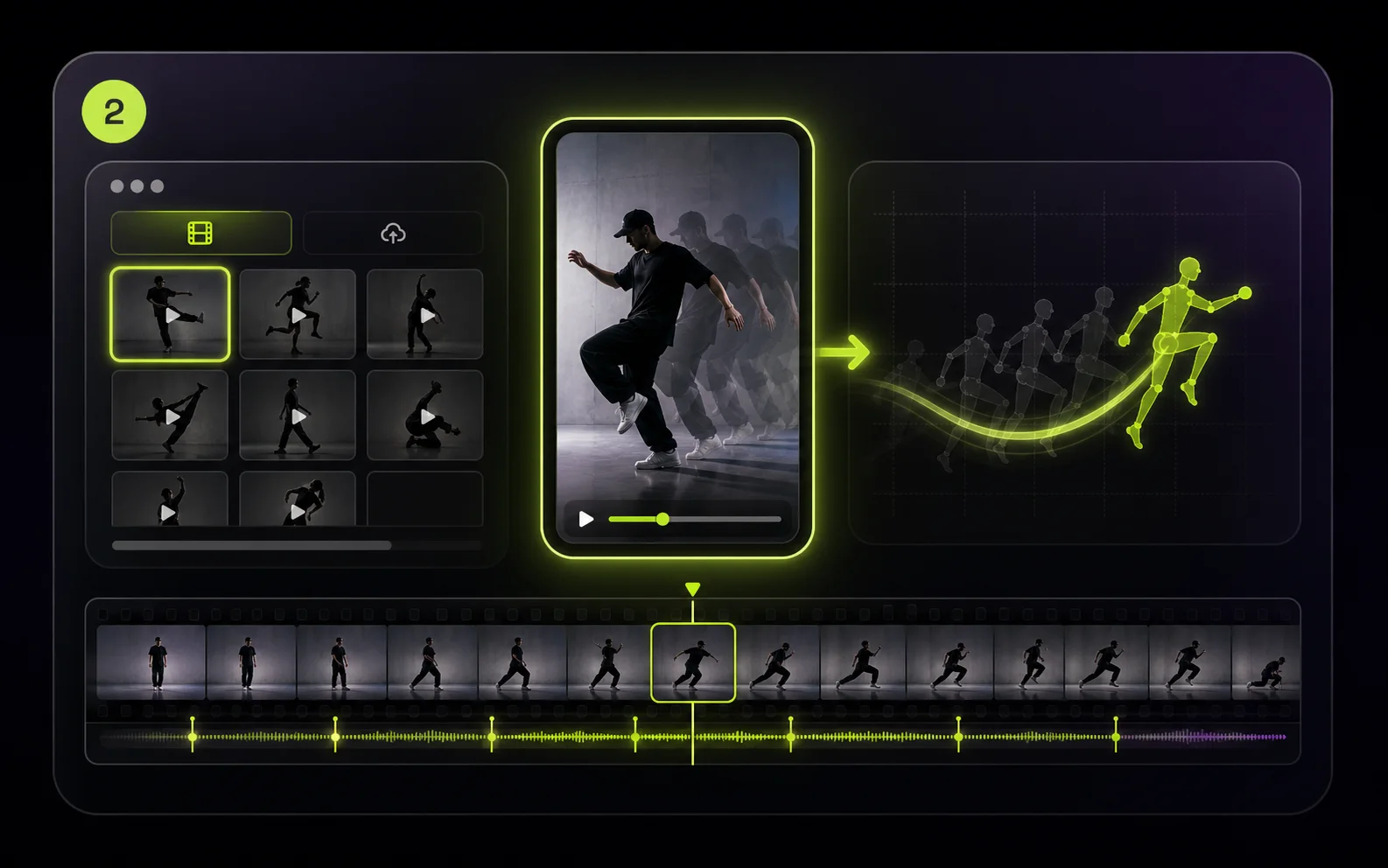
Pilih referensi gerakan dari library atau unggah MP4/MOV dengan gestur, tarian, siklus berjalan, atau ritme kamera yang ingin dipakai ulang.
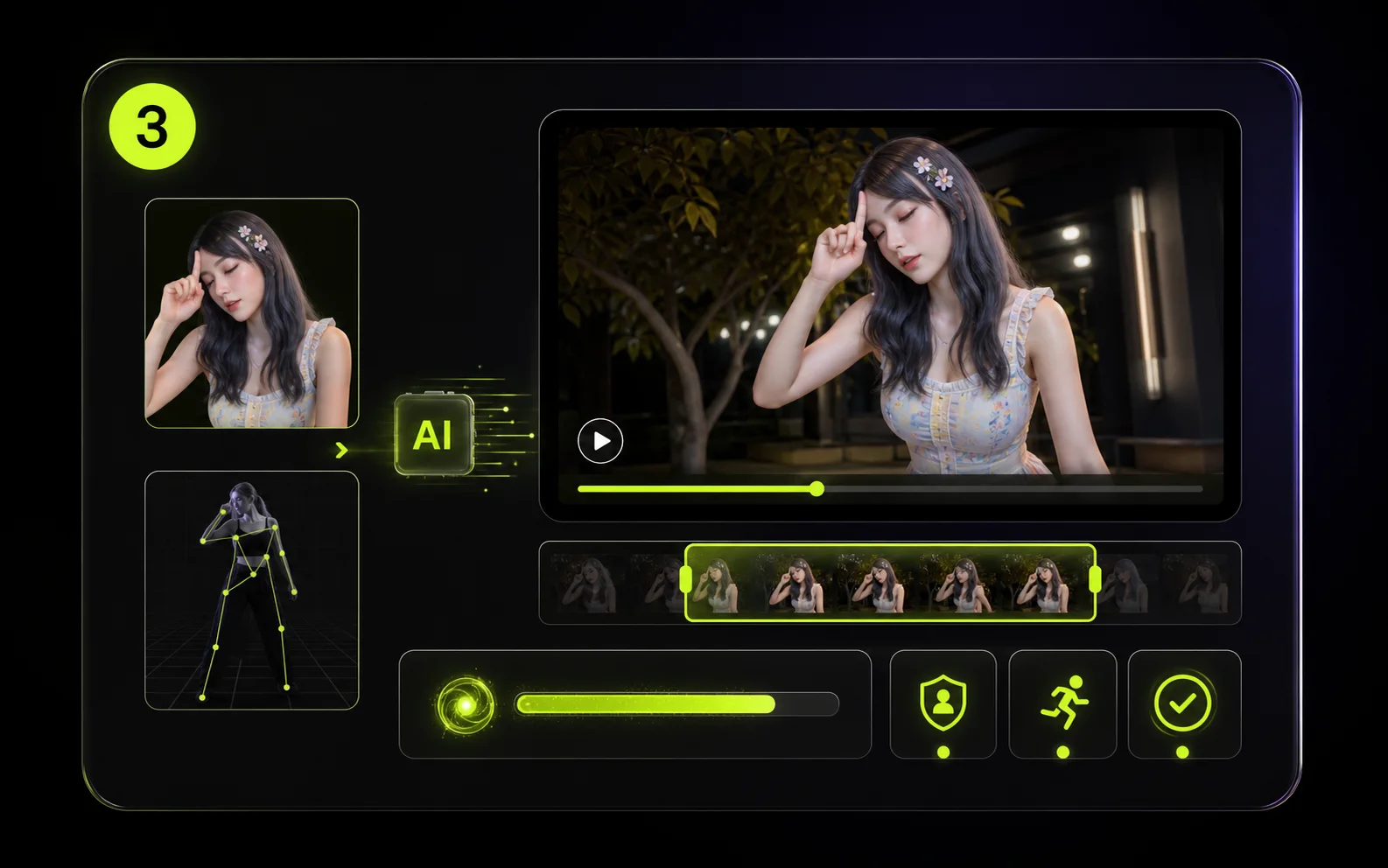
Buat pratinjau pendek untuk memeriksa stabilitas identitas, akurasi gerakan, dan tempo sebelum membuat versi lebih panjang atau resolusi lebih tinggi.
Use case
Gunakan satu klip referensi sebagai arahan yang bisa dipakai ulang untuk konten kreator, campaign, explainer, channel avatar, dan tes produksi awal.
Transfer gerakan tari, gestur, dan energi talking-head ke gambar karakter agar kamu bisa membuat lebih banyak Shorts, Reels, dan TikTok tanpa merekam tiap variasi.
Gunakan rekaman aktor atau video kasar dari ponsel sebagai arahan gerak untuk tes karakter, adegan pitch, dan storyboard sebelum animasi manual atau syuting studio.
Ubah foto produk, maskot, atau gambar spokesperson menjadi materi iklan berbasis gerakan dengan gestur, postur, dan energi campaign yang konsisten.
Buat klip bergaya instruktur dengan gerakan tangan, ritme tubuh, dan timing presenter yang cocok untuk pelajaran, tutorial, onboarding, atau training internal.
Pakai ulang gerakan viral, urutan pose, atau gestur di berbagai karakter dan aset brand sambil menjaga gaya visual akhir tetap milikmu.
Animasikan potret, karakter bergaya, atau avatar personal dengan referensi gerakan nyata untuk video hadiah, aset profil, atau eksperimen performa karakter.
Alur terkait
Gabungkan gerakan referensi dengan image-to-video, generasi berbasis prompt, dan efek sekali klik sesuai tingkat kontrol yang dibutuhkan tiap klip.
Arahkan gaya, identitas, komposisi, atau gerakan dengan media referensi saat shot perlu kontrol kreatif lebih besar.
Buka alatBuat klip dari teks saat belum ada gambar sumber atau gerakan referensi.
Buka alatGunakan efek siap pakai seperti AI Hug, AI Kiss, AI Dance, AI Baby, dan AI Muscle untuk variasi cepat.
Buka alatBandingkan kredit, langganan, dan paket pay-as-you-go sebelum merender klip Motion Control yang lebih panjang.
Buka alatCatatan kreator
“Motion Control AI membuat saya bisa mengetes performa avatar tanpa merekam ulang setiap gestur.”

“Demo gerakan memberi tim kami titik awal cepat untuk variasi iklan sosial.”
“Mengunggah klip gerakan sendiri membuat shot karakter jauh lebih mudah diarahkan.”
FAQ
Motion Control AI memakai video referensi untuk mengarahkan bagaimana karakter bergerak. Kamu mengunggah gambar karakter, memilih atau mengunggah klip gerakan, lalu membuat video baru yang mengikuti gerakan sumber.
Kamu membutuhkan satu gambar karakter dan satu referensi gerakan. Gambar bisa PNG, JPG, JPEG, WEBP, atau GIF hingga 10 MB. Video gerakan yang diunggah bisa MP4 atau MOV hingga 100 MB, atau kamu bisa memilih referensi dari library.
Alur ini dirancang untuk mempertahankan identitas, pakaian, dan gaya dari gambar sambil mentransfer gerakan dari klip. Gambar yang jelas dan gerakan yang mudah dibaca biasanya memberi hasil lebih baik.
Kling Motion Control perlu membaca durasi video referensi. Penagihan memakai detik utuh dengan minimum 3 detik, dan referensi lebih dari 30 detik akan ditolak.
Kredit dihitung dari durasi referensi dan resolusi output: 720p memakai 10 kredit per detik dan 1080p memakai 15 kredit per detik, dibulatkan ke detik utuh.
Model Motion Control mendukung output 720p dan 1080p, dengan rasio aspek 9:16, 16:9, dan 1:1.
Image menjaga framing akhir agar lebih dekat dengan gambar karakter. Video mengikuti framing video referensi dan menjadi default untuk sebagian besar klip gerakan. Image hanya mendukung klip hingga 10 detik.
Motion Control bisa mempertahankan suara asli dari video referensi. Gunakan saat timing penting, dan matikan jika kamu akan menambahkan musik atau voiceover terpisah.
Kling 3.0 Motion Control memakai kredit. Tombol Create menampilkan kredit yang dibutuhkan sebelum submit; model gratis terpisah dipakai untuk image-to-video 480p berdurasi pendek.
Watermark aktif secara default. Pengguna berbayar bisa mematikannya untuk video berikutnya dan menghapus watermark dari tugas selesai yang memenuhi syarat.
Siap mengarahkan gerakan?
Unggah karakter, pilih preset gerakan atau video milikmu sendiri, lalu render klip karakter yang terkontrol langsung di browser.
Free AI Video Generation — No Watermark
LoreMotion generates 720p MP4 clips from text prompts with no watermark and no monthly fee. Revenue comes from a short pre-roll ad, not subscriptions.
Image to Video
Upload any image and animate it into a fluid video clip. Works with product photos, portraits, AI-generated artwork, or any still image.
Multiple Aspect Ratios
Supports 16:9 widescreen, 9:16 vertical (TikTok / Reels / Shorts), 1:1 square, and 4:3 classic — all available on the free tier.
Community Discover Feed
Browse a public gallery of user-generated videos for inspiration. Sharing is opt-in; videos are private by default.
LoreMotion's standout position is simple: generate AI videos for free with no watermark and no credit card required. It runs LTX-Video 2.5, a 22-billion-parameter diffusion transformer by Lightricks, on its own GPU cluster. Anonymous users get one generation immediately; a free account unlocks unlimited videos with a 48-hour personal library. This makes LoreMotion genuinely useful for creators who need a quick clip without committing to a subscription. The output quality is solid for general scenes, social posts, and marketing visuals — 720p H.264 with synced ambient audio.
In image-to-video mode, LoreMotion takes a reference image as the first frame and generates forward motion using the selected model. This works well for product animation, portrait clips, architectural walkthroughs, and adding movement to AI-generated artwork. The image supplies the visual; the model predicts natural motion. All five models — LTX-Video 2.5, MiniMax H3, Veo 3.1, Grok 3, and Kling 2.5/3 — support image-to-video. The key limitation is that you cannot direct the motion: you cannot say "make the character dance to this specific choreography." The model decides how the image moves.
LoreMotion is purpose-built for text-to-video and image-to-video generation, not motion control. If your goal is to animate a specific character performing a specific movement — a dance, a walk cycle, a hand gesture, a facial expression — LoreMotion cannot do it. There is no way to upload a reference video and have the AI transfer that motion onto your character. The absence of motion control also means no frame-accurate body transfer, no hand/finger precision, and no camera motion replication. For general video creation these gaps don't matter. For character animation workflows they are blockers.
| Feature | LoreMotion | MotionControlAI |
|---|---|---|
| Motion control — animate character with reference videokey | ||
| Kling 3.0 frame-accurate transferkey | ||
| Body motion transferkey | ||
| Facial expression transfer | ||
| Hand & finger motion | ||
| Cinematic camera motion mode | ||
| Text to video | ||
| Image to video (free) | ||
| Free tier with no watermark | ||
| No sign-up for first generation | ||
| Reference video preset library | ||
| Public gallery / Discover feed | ||
| Multiple aspect ratios |
✓ Supported · ~ Partial support · ✗ Not available
LoreMotion cannot animate a character using a reference video. MotionControlAI is built specifically for this — upload a character image and a reference clip, and Kling 3.0 transfers the motion frame-accurately.
MotionControlAI supports four motion modes: full body, hand/finger control, facial expression, and cinematic camera motion. LoreMotion offers none of these directed animation modes.
Kling 3.0 preserves your character's exact appearance across every generated frame — face, outfit, proportions. General video generators like LoreMotion do not guarantee character consistency.
If you need a quick atmospheric video — a landscape with motion, a product floating in space, a cinematic scene from a text description — LoreMotion is fast and free. Write a prompt, pick your aspect ratio, and download a 720p clip with no watermark in about 90 seconds. For content creators who just need background footage, B-roll, or general visual content at zero cost, it is a practical tool.
When you have a specific character — a brand mascot, an anime avatar, a portrait, an illustration — and you need it to perform a specific movement, LoreMotion cannot help. MotionControlAI's motion control workflow is: upload character image + upload or select reference video → Kling 3.0 maps the motion onto your character. The output preserves the character's visual identity while executing the exact choreography, gesture, or cinematic movement from the reference.
For creators building virtual influencers or producing dance content at scale, motion control is the core capability. Record or source a trending choreography clip, apply it to your character, and publish. MotionControlAI's preset reference video library means you can start without sourcing your own motion clips. The consistent character identity across multiple generations makes it possible to build a recognizable AI persona — something a general text-to-video tool like LoreMotion cannot replicate.
LoreMotion is a free AI video generator at loremotion.com. It runs LTX-Video 2.5 and MiniMax H3 on its own GPU cluster, letting users generate 720p clips from text prompts or images with no watermark and no sign-up required for the first video. It focuses on general text-to-video and image-to-video generation.
No. LoreMotion does not offer motion control — the ability to animate a specific character image using the movements from a reference video. It generates video from prompts and images, but cannot transfer body motion, facial expressions, or camera movement from a reference clip onto a character. MotionControlAI is purpose-built for this workflow.
Yes. LoreMotion supports itself through pre-roll ad impressions rather than subscriptions, so the generated videos carry no watermark and are free for commercial use. Anonymous users get one free generation; a free account unlocks unlimited generations. MotionControlAI also offers a free tier with no watermark for motion control video generation.
LoreMotion is a general-purpose AI video generator optimized for text-to-video and image-to-video creation. MotionControlAI is specialized for motion control — you upload a character image and a reference video, and the AI transfers the exact motion (body, hands, face, or camera) from the reference onto your character using Kling 3.0. If you want to animate a specific character with a specific movement, MotionControlAI is the right tool.
Not precisely. LoreMotion can generate a video starting from an image, but it generates forward motion based on the model's predictions — you cannot supply a dance reference video for the character to follow. MotionControlAI lets you upload a dance clip as the motion reference, and Kling 3.0 maps that exact choreography onto your character frame-by-frame.
LoreMotion's free tier uses LTX-Video 2.5 (22B parameter diffusion transformer by Lightricks) and MiniMax H3. Premium tiers add Google Veo 3.1, xAI Grok 3, and Kling 2.5/3.0. MotionControlAI uses Kling 3.0 specifically for its motion control pipeline, which is currently the most accurate model for reference-based character animation.